Your data stays yours
The Guidy AI browser extension doesn’t store, log or keep anything from the pages you ask about. It doesn’t store, log, or keep any screenshots of your screen.

Your second pair of eyes online, for work, life, and everything in between: shopping, traveling, studying for an exam.
Or try Guidy Desktop app
Guidy walks you through it one step at a time, like a personal browser assistant that sits next to you.
At work: submitting an expense report
After work: changing the date on a flight booking
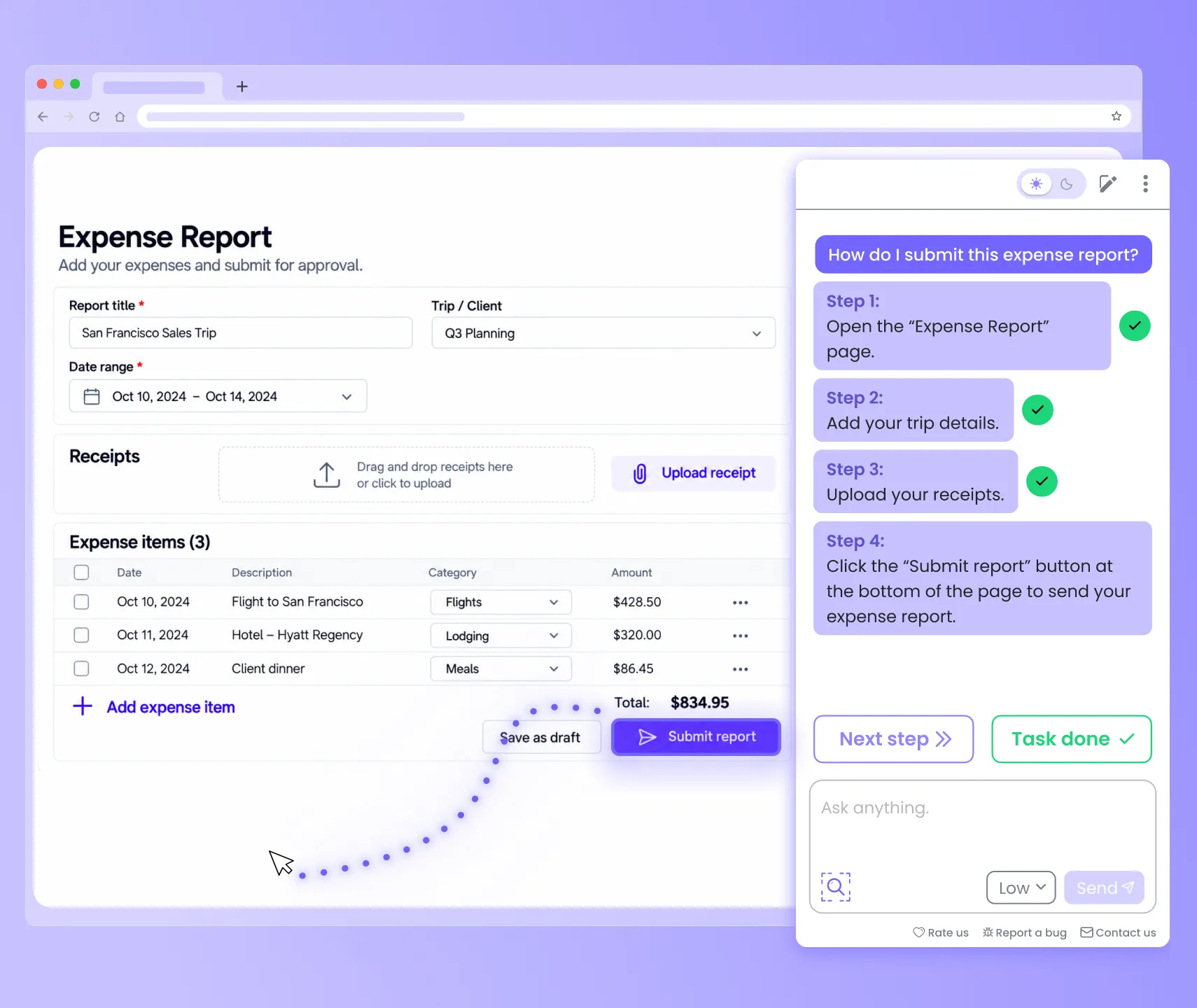
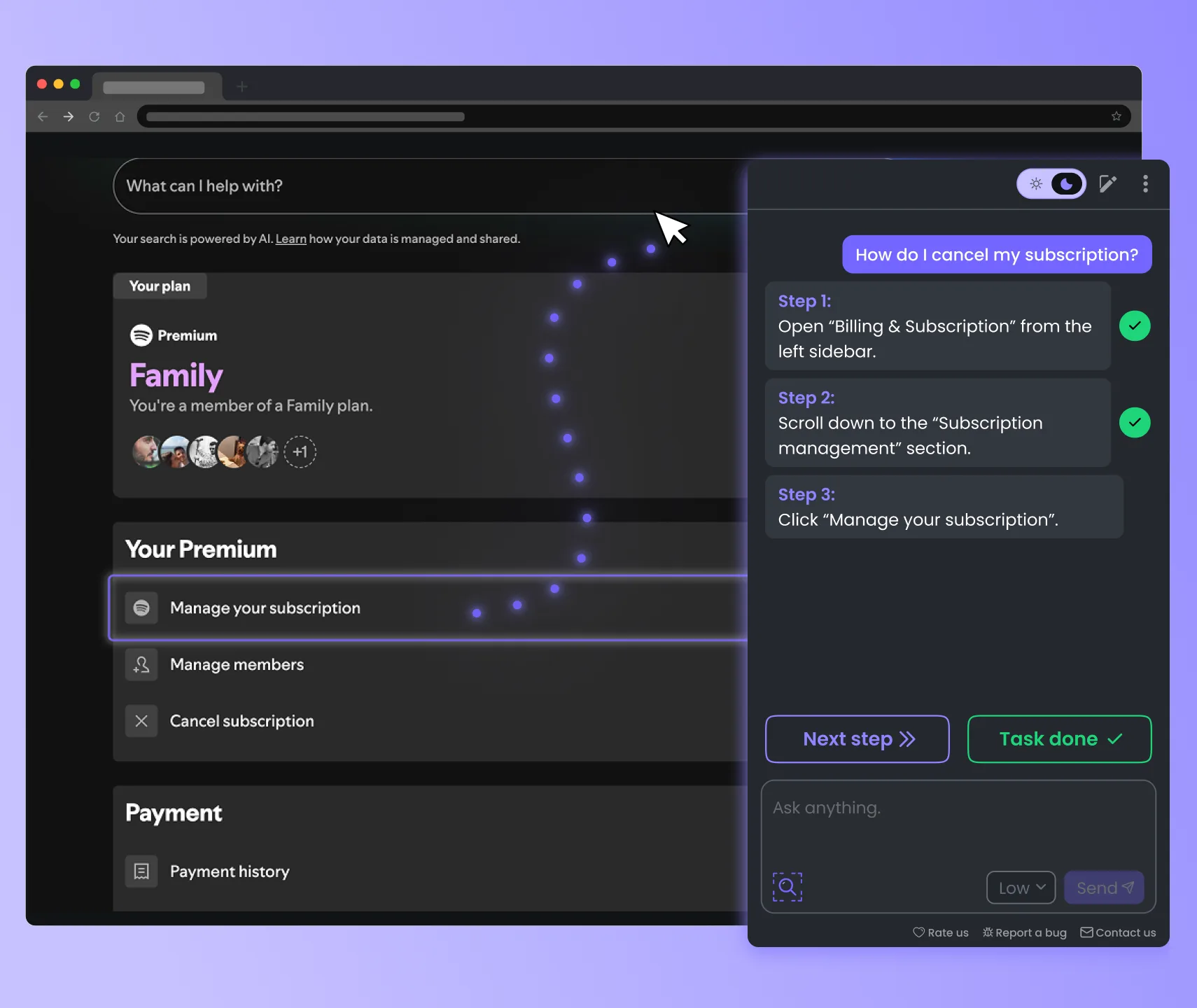
Guidy points to the exact button, menu or setting, so you can stop hunting. It’s a personal website helper for every site you use.
At work: the export button in a dashboard
After work: the cancel link buried in your subscription settings
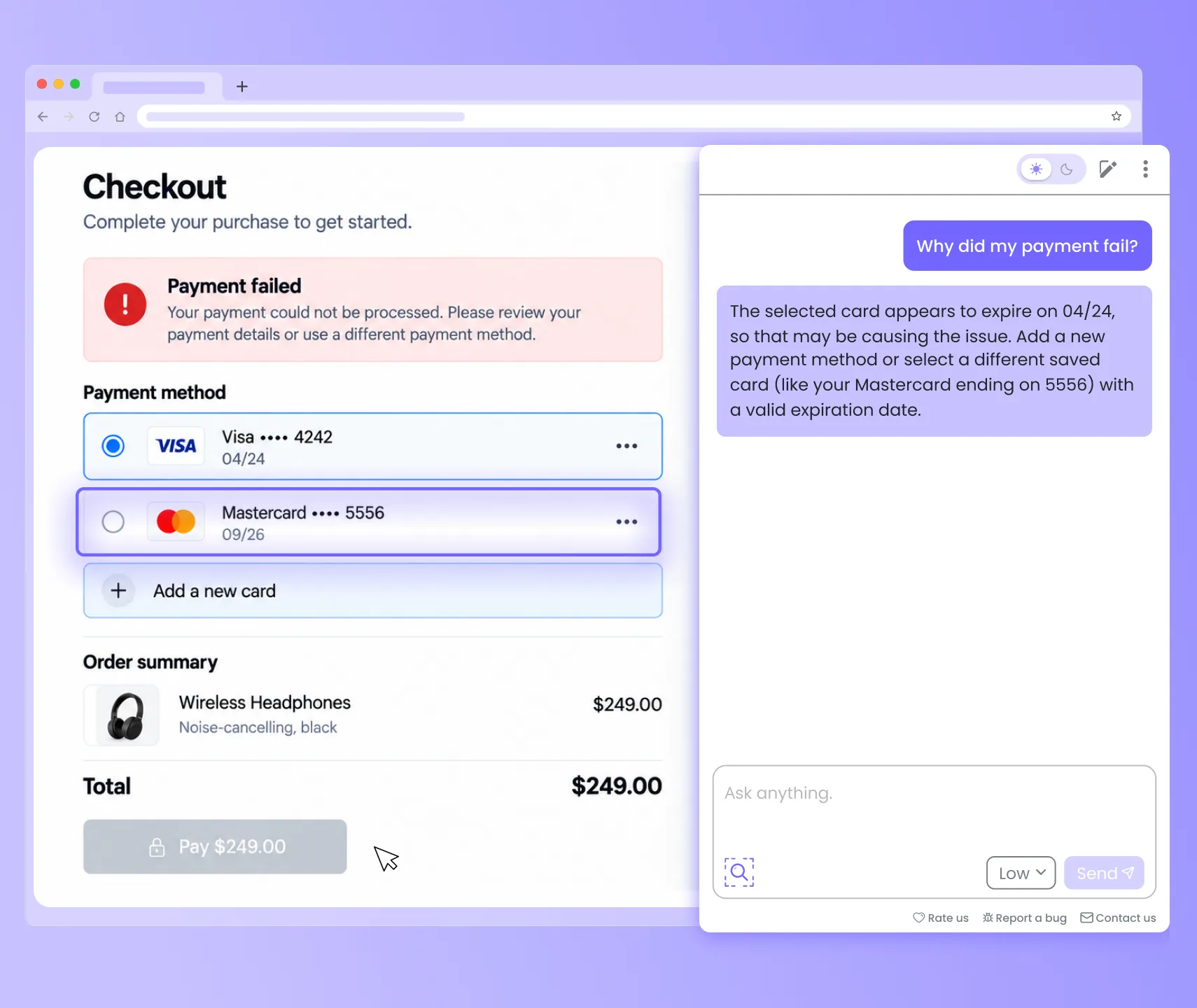
Guidy reads the error on your screen and tells you what went wrong and what to try next. At checkout, it’s the AI shopping assistant that gets you unstuck.
At work: a form that won’t submit
After work: “Payment failed” when you’re about to buy
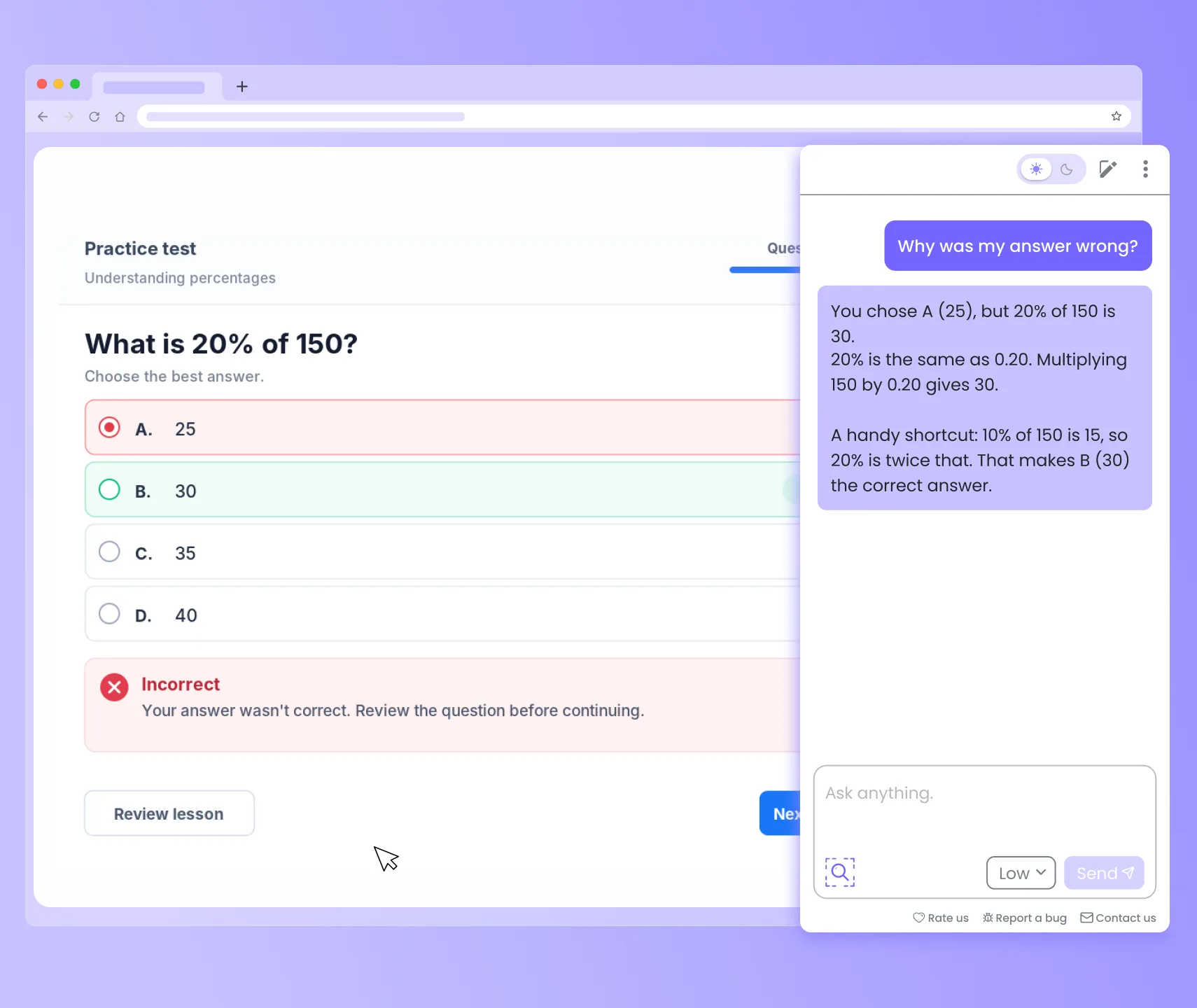
Guidy explains what’s on your screen in plain words. Prepping for a test? It’s the AI study helper that shows you why an answer is right.
At work: a report full of numbers you can’t understand
After work: a practice test question you got wrong

The Guidy AI browser extension doesn’t store, log or keep anything from the pages you ask about. It doesn’t store, log, or keep any screenshots of your screen.

In Chrome or Safari, Guidy only reads the page when you open it and ask for help. No screenshots are permanently seen, stored or processed. You’re in control the whole time.

Everything that passes between your browser and Guidy is fully encrypted, so your information never travels unprotected.

Guidy never uses what’s in your browser to train AI models. What you show it stays yours.
Can’t find what you're looking for? Contact us