
Guidy vs HeyClicky: On-Screen AI Assistants Compared
No time for long YouTube tutorials? Try Guidy and get it all done in minutes. It sits right on your screen and points you to exactly what to do in real time. And it works on any software or browser, in any language.
Try for free
Two tools in this category do something almost no chatbot does: they look at the screen you are actually working on and tell you what to click next. Guidy and HeyClicky arrived within weeks of each other, both aimed at the moment when you are stuck inside software you half know.
They are close enough to be confused and different enough that the wrong choice will annoy you within a week. This is a straight head-to-head.
For the wider field of chat assistants and how they compare on writing, research, and general capability, see our comparison of the main ChatGPT alternatives, which covers that ground properly.
Disclosure: this comparison is published by Guidy. The facts about HeyClicky below come from HeyClicky's own site and were checked on August 19, 2026, and the limitations section is not decorative.
Guidy vs HeyClicky: the short answer
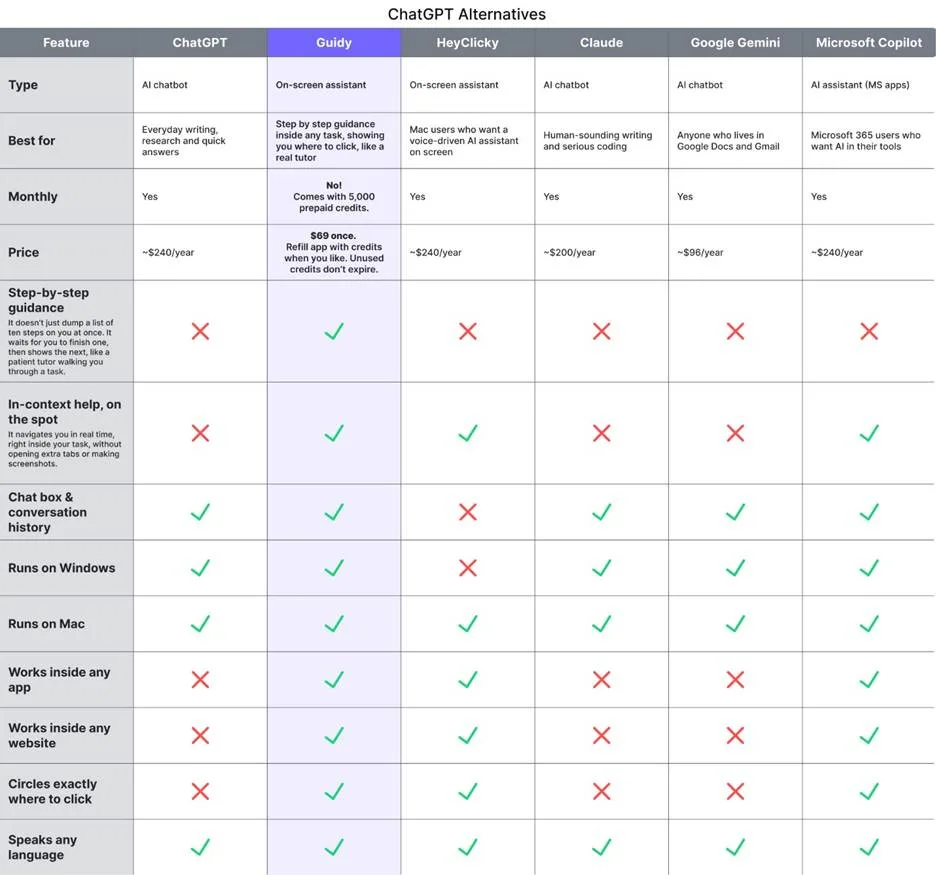
If you are on Windows, the comparison is over before it starts, because HeyClicky is macOS only. If you are on a Mac, the question becomes what you want the assistant to do when it sees your screen.
HeyClicky wants to talk to you and, on request, to go and do the task itself. It is voice-first, it draws on your screen to point at controls, and saying the agent trigger phrase hands a job off to run in the background.
Guidy wants to walk you through the task so you can do it. It points and waits. It does not take over your mouse, edit your files, or finish the job while you look away.
Neither approach is better in the abstract. One produces a finished thing. The other produces a person who now knows how to make that thing.
What each one actually does
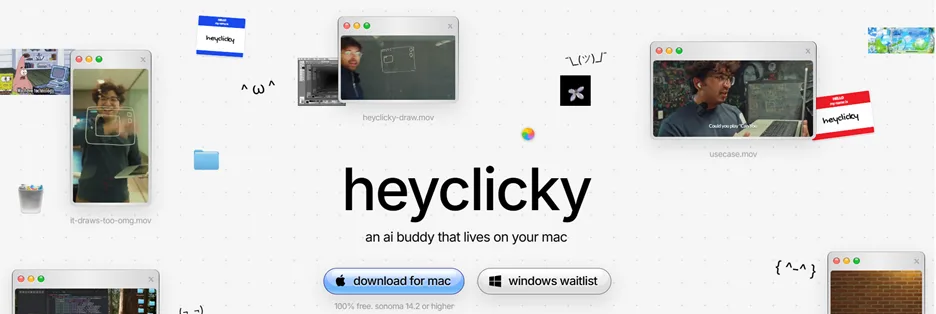
HeyClicky sits next to your cursor on a Mac. You hold a hotkey, ask a question out loud, and it answers by voice while drawing on the screen to indicate where to go. Its second mode is agents: say the trigger phrase and it spins up a background agent that can research, build, or complete a task, with connections to tools including Notion, Gmail, and Google Calendar.
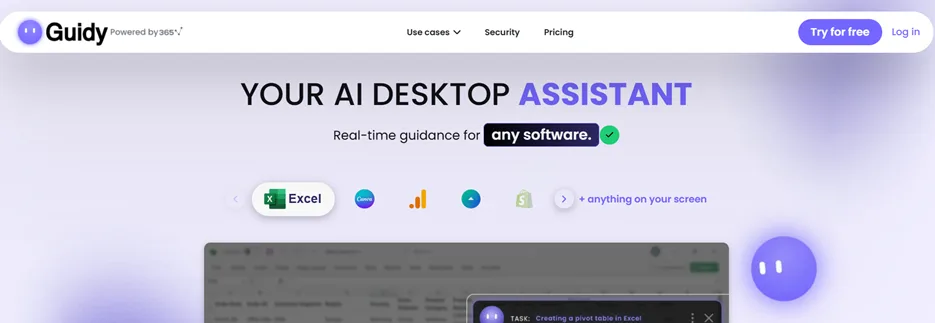
Guidy runs on Windows and macOS. You open it, ask for help, and it reads what is on screen at that moment and guides you click by click through the task in ANY software you have open. Because it reads the screen rather than integrating with each application separately, there is no list of supported apps to check. It was built by the team behind 365 Data Science and 365 Financial Analyst, who have taught over four million learners.
 The shared premise is that help should appear where the work is. The split is what happens after the assistant understands the problem.
Which platforms does each one run on?
This is the first filter and for many readers it is the only one that matters.
|
|
Guidy |
HeyClicky |
|
Windows |
Yes |
No |
|
macOS |
Yes |
Yes, Sonoma 14.2 or higher |
|
Mobile |
No |
No |
HeyClicky's own FAQ is direct about it: the app is Mac only for now, it requires Sonoma 14.2 or higher, and Windows is described as coming with a waitlist to join. If you are reading this on a Windows machine, HeyClicky is not currently an option, and a waitlist is a plan rather than a date.
If you work across both operating systems, which is common in households and in small teams with mixed hardware, only one of these covers you today.
Guidy vs HeyClicky pricing compared
The pricing models are structurally different, not just different in amount.
|
|
Guidy |
HeyClicky |
|
Model |
One-time purchase |
Monthly subscription |
|
Entry price |
$0 free, $69 once |
$0 free, $20 per month Pro |
|
Top tier |
Not applicable |
$100 per month Max |
|
Free option |
Free version, limited credits, no card required |
Free tier at 25 talk messages and 25 agent messages a month |
|
What runs out |
Credits (5,000 included), and can be refilled |
Monthly agent messages, which reset each cycle |
HeyClicky publishes three plans. The free one includes 25 talk messages a month and 25 agent messages a month. Pro is $20 a month for unlimited talk and dictation with 150 agent messages a month. Max is $100 a month with the same unlimited talk and 1,000 agent messages a month. Annual billing is offered at 20% off, and plans are month to month with cancellation at any time. If you exhaust your agent messages, talking to it keeps working and only the agents pause until the next cycle.
Guidy is a single payment of $69 that includes 5,000 credits, and those credits do not expire or reset monthly, etc. Credit use scales with complexity, so a quick question costs less than a long multi-step walkthrough, and the live balance is visible in the app. There is no subscription and no auto-renewal. The purchase and the balance sit on your account, which you sign in to, so they travel with you rather than being locked to one machine. Full terms are on the pricing page.
The arithmetic over three years is not subtle.
HeyClicky Pro at $20 a month is $240 a year at monthly billing, or $720 across three years. Guidy is $69 plus whatever credits you top up beyond the first 5,000. That gap is the strongest single argument for the one-time model, and the honest counterweight is that a subscription funds continuous development on a schedule you can see, while a one-time purchase depends on the vendor choosing to keep shipping.
Does either one do the task for you?
This is the real dividing line, and it is worth being precise about because both products use the word "assistant."
HeyClicky does both. Ask it a question and it guides you. Trigger an agent and it goes away and performs the work: researching, building, connecting to your Notion or your inbox, and coming back with a result. Those agent runs are the metered resource on every plan, which tells you how the product is weighted.
Guidy only guides. It shows you where to click and waits for you to click it. It does not move your cursor, change your files, or act on your accounts. That is a deliberate design position rather than a missing feature, and it has two consequences worth stating plainly. The first is that you cannot hand Guidy a job and walk away. The second is that after ten minutes with Guidy you can usually do the task yourself next time, which is not true of anything that does the task for you.
Choose accordingly. If the goal is output, an agent is the shorter path. If the goal is capability, or if the task involves a system where an automated action would be a bad idea, a tool with a focus on guidance is the safer one.
How each one handles what it sees on your screen
Both tools capture your screen only when you ask, and both say so clearly. What they do with the capture afterward differs, and both positions have a tradeoff.
HeyClicky states that it only sees your screen when you press the hotkey, that screenshots are not stored, and that it does keep text summaries so the assistant has context. Account data can be deleted from settings. It is also open source and distributed through public releases, which means the claim is inspectable in a way that closed products cannot match. That is a genuine advantage and the single strongest argument in its favor for a privacy-conscious buyer.
Guidy reads your screen only when you open it and ask for help. There is no background capture and no always-on watching. Screenshots are processed by trusted AI providers. Screen activity is never used to train public AI models, traffic is encrypted in transit, and Guidy cannot reach your files, passwords, or accounts on its own. It attempts to detect and blur sensitive information before a screenshot is processed, which reduces exposure rather than eliminating it. The details, including the named providers in the privacy policy, are on the security page.
Which one should you choose?
Choose HeyClicky if you are on a Mac, you want something that can go and complete a task in the background, and open source matters to you. It is also the more playful product, which sounds trivial and is not; people use tools they enjoy.
Choose Guidy if you are on Windows, you work across both Windows and macOS, you prefer one payment to a recurring bill, or you specifically want to learn the software rather than delegate it. It may also be the better fit for regulated or shared work systems where an automated agent acting on your behalf is not acceptable, though that is a judgment for your own compliance team rather than a claim about certifications.
Choose neither if what you actually need is a chat assistant for writing, coding, or research. Both of these are for the moment you are stuck inside an interface, not for producing a first draft.
If you are on Windows and the guided approach sounds right, Guidy has a free version you can try on a real task before spending anything.
Key takeaways
● HeyClicky is macOS only and requires Sonoma 14.2 or higher, with a Windows waitlist. Guidy runs on Windows and macOS today.
● HeyClicky is $0 free, $20 a month Pro with 150 agent messages, or $100 a month Max with 1,000 agent messages, with 20 percent off annual billing.
● Guidy is $69 once with 5,000 credits that do not expire, no subscription, and a free version to try first.
● HeyClicky both guides and acts, with agent runs metered on every plan. Guidy only guides and never acts on your files or accounts.
● HeyClicky says screenshots are not stored but keeps text summaries. Guidy does not use screen activity to train public AI models.
FAQs
Is HeyClicky available for Windows?
Not yet. HeyClicky is macOS only and requires Sonoma 14.2 or higher. The company has published a Windows waitlist, which signals intent rather than a release date. If you need an on-screen assistant on Windows now, Guidy is the one of the two that runs there.
Is HeyClicky free?
There is a free tier. It includes 25 talk messages a month and 25 agent messages a month, with dictation. Paid plans are $20 a month for Pro and $100 a month for Max, and annual billing is discounted by 20 percent. If you use up your agent messages, conversation keeps working and only the agents pause until your next cycle.
Is Guidy open source?
No. Guidy is a commercial desktop application, and HeyClicky's open-source code is a real point in its favor for anyone who wants to inspect what an assistant does with a screenshot. Guidy publishes its handling of screen data on its security page instead, including the retention window and the statement that screen activity is not used to train public AI models.
Can I use both?
On a Mac, yes, and some people will want to. They cover different instincts: one for delegating a task and one for learning it. On Windows the question does not arise yet. The practical caution is cost, because running a $20 monthly subscription alongside anything else is the subscription stacking problem that makes a one-time purchase attractive in the first place.
Which is better for learning new software?
Guidy, by design. It points at the next click and waits for you, so you perform every step yourself and retain the sequence. HeyClicky can do the same thing conversationally and does it well, but its agent mode exists to remove you from the task, and a tool that finishes the job for you teaches you very little about how the job is done.